Build a cold email sequence in minutes, no flowchart needed ⚡
Meet the new simple sequence builder. Click New sequence → Create sequence and write your emails in one list.
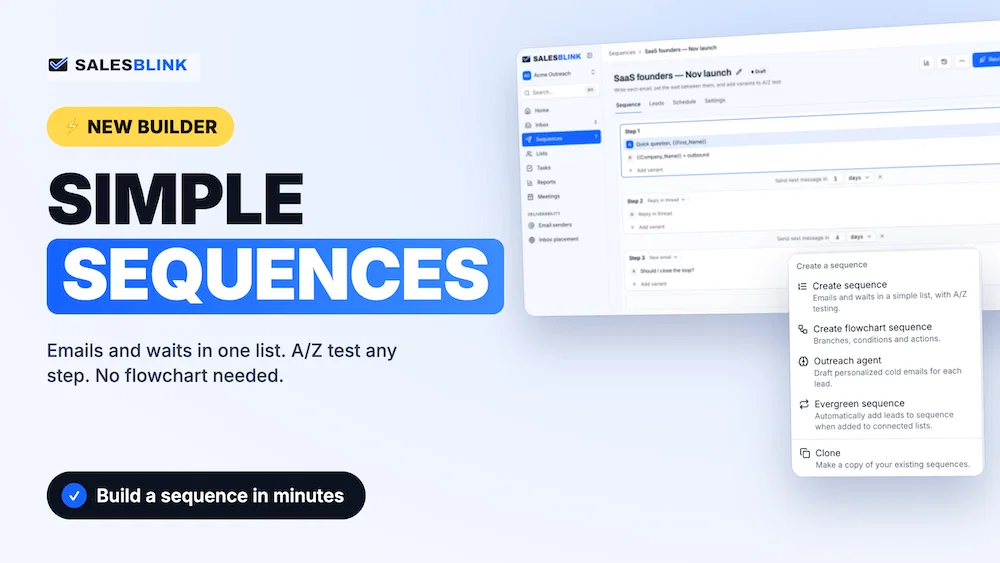
📝 Steps in a list
Each step is an email. Set the wait between steps ("Send next message in 3 days") and add as many steps as you need.
🧪 A/Z testing on any step
Add up to 5 variants per step. SalesBlink can pick the winner for you, by reply rate by default.
💬 Reply in thread or new email
Choose for each follow-up whether it goes as a reply in the same thread or as a new email.
✍️ Write right there
Subject, body, variables, preview, send test, ✨ Write with AI, templates and 📎 attachments (up to 3 files, 10 MB each) are all in the editor.
👥 Leads tab
Add lists, segments or CRM sources as lead sources.
🔀 Need branches and conditions later?
Convert the sequence to a flowchart whenever you're ready.
The flowchart builder is still under New sequence → Create flowchart sequence.
3